






Skip to content

Your grades are complicated enough.

Grade trends, category math, what-if scores, attendance, documents, and mail. StudentVUE, with less maze.

Open Grademaxxing
100+ new users this month
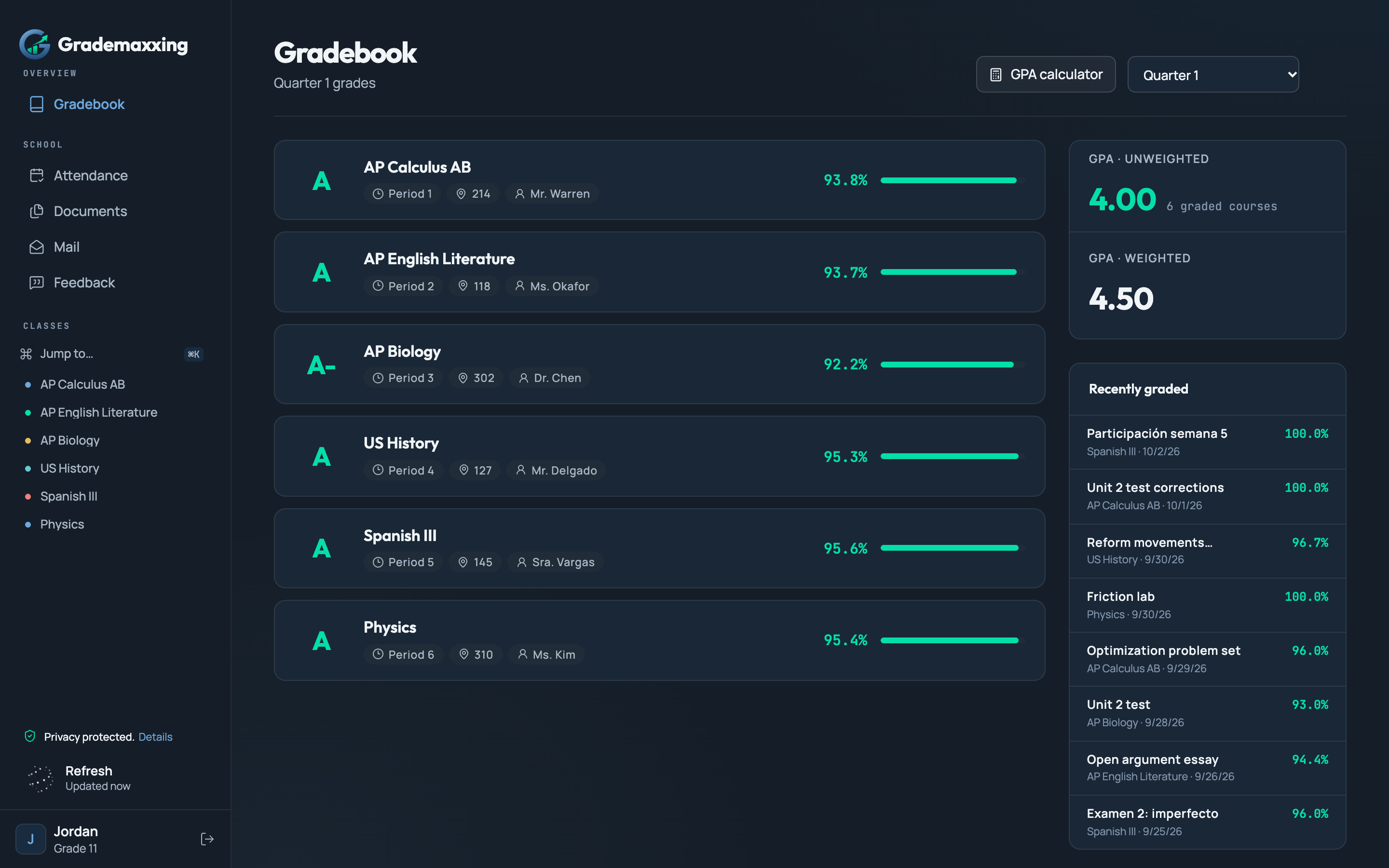
Grademaxxing gradebook with synthetic sample grades, GPA summary, and courses
  1. Foothill High School, Pleasanton
  2. Amador Valley High School, Pleasanton
  3. Dublin High School, Dublin
  4. California High School, San Ramon
  5. Dougherty Valley High School, San Ramon
  6. San Ramon Valley High School, Danville
  7. Monte Vista High School, Danville

Grademaxxing turns a final percentage into the information you actually need — grade trends, category math, and what-if scores, so you always know what to do next.

THE USEFUL PART

A percentage is not a plan.

Grademaxxing turns a final percentage into the information you need to act on it.

Your grades, together
Six sample courses with letter grades and percentages
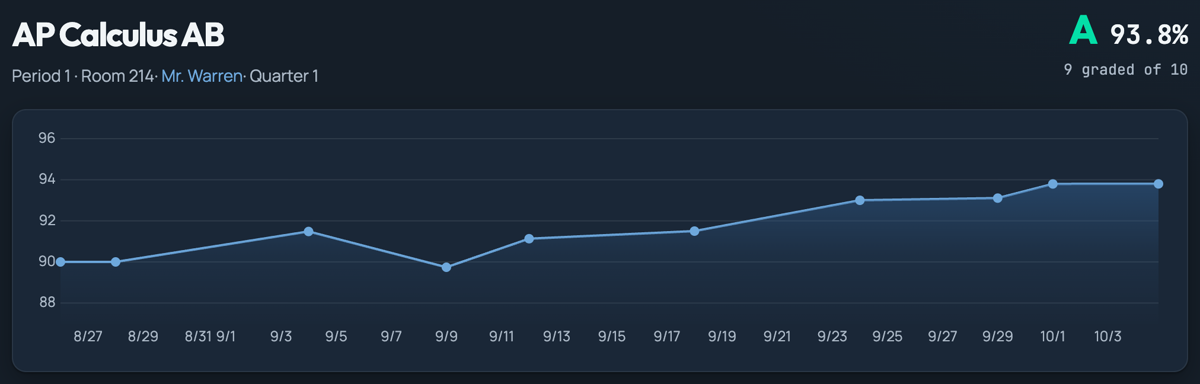
See your grade trend
A sample course grade and its complete trend chart
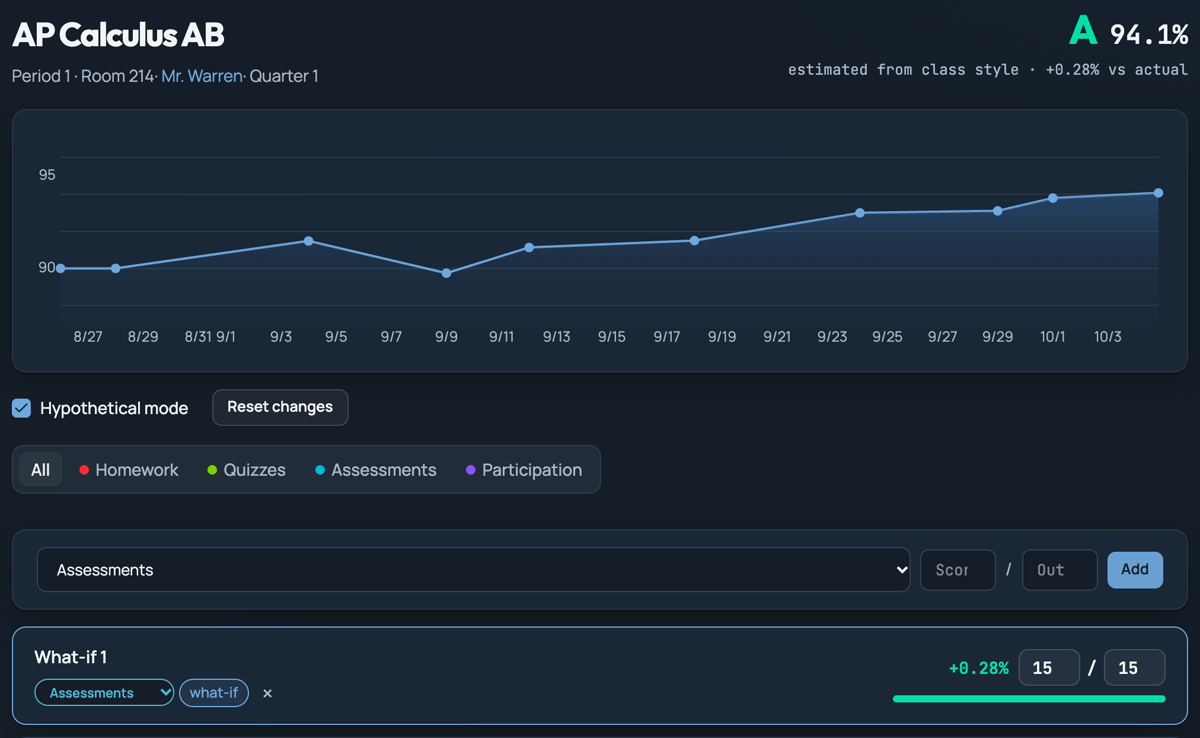
Try a what-if score
Hypothetical mode with an estimated grade and a sample what-if assignment
Understand attendance
A sample attendance record showing an arrival marked tardy
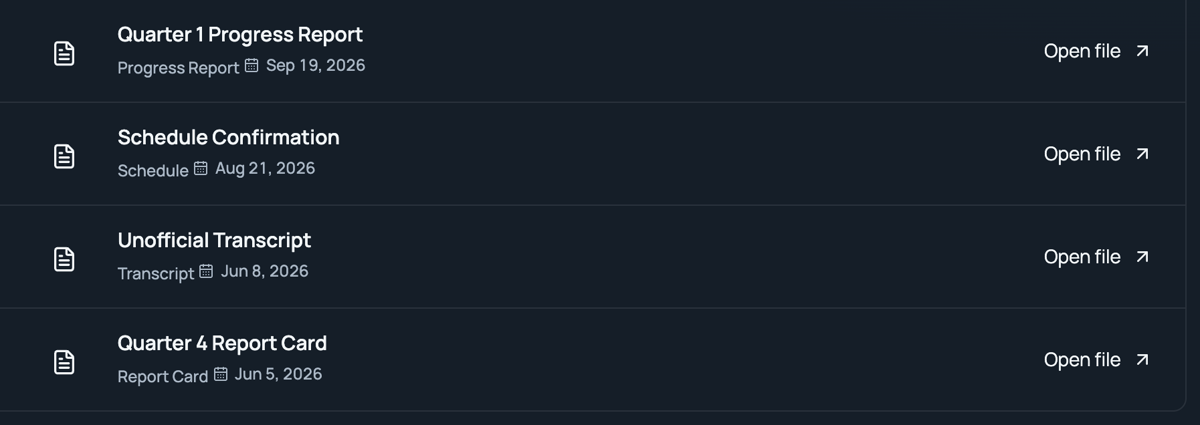
Find your school documents
Sample progress reports, schedule confirmation, and unofficial transcript
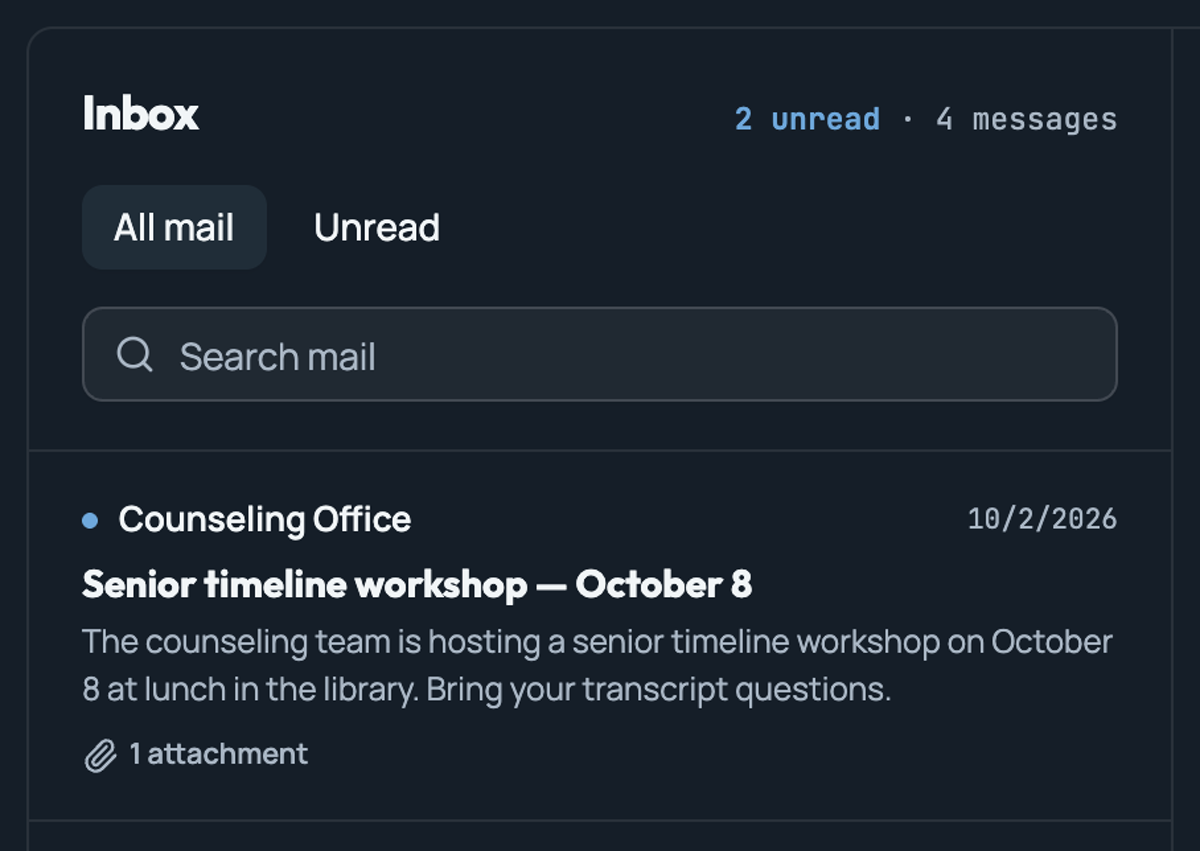
Read school messages
A sample inbox with school messages and an attachment
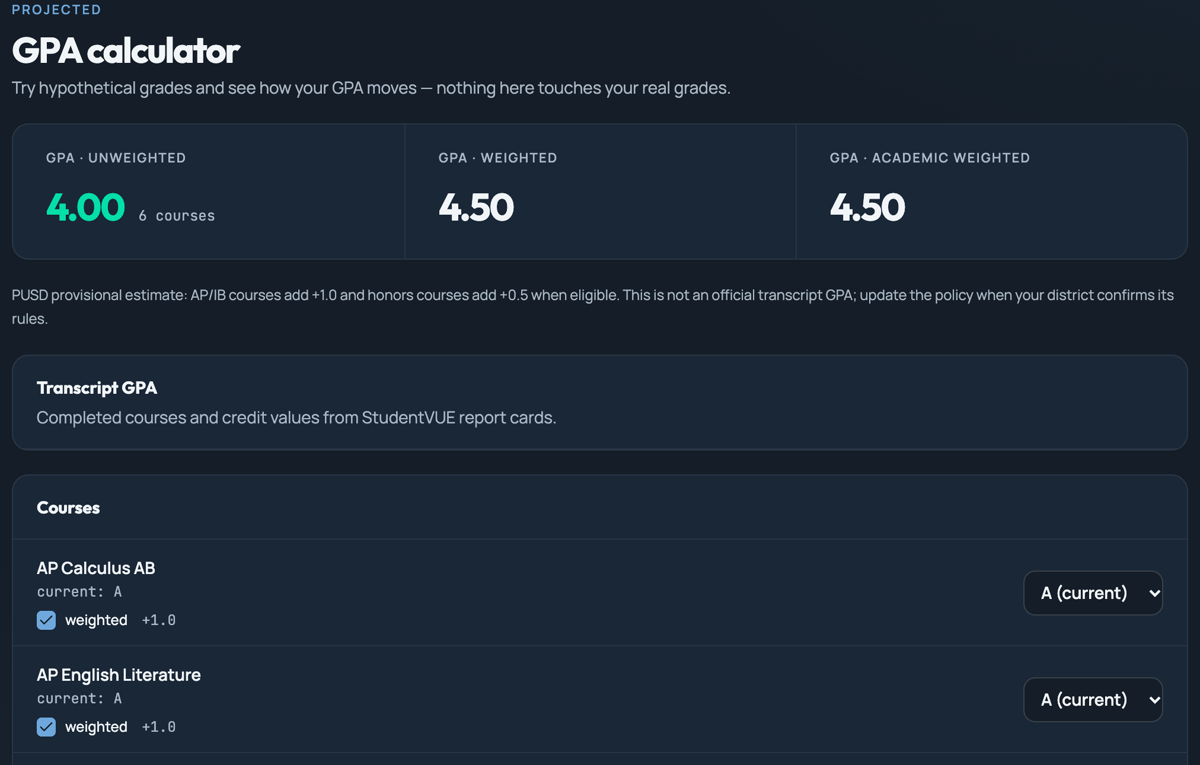
Explore your projected GPA
Projected GPA estimates, policy disclaimer, and hypothetical course-grade controls

All previews use fictional sample records. Projected grades and GPA are estimates, not school records.

01

Connect StudentVUE

Sign in with your existing account to read grades, attendance, documents, and mail from your district’s portal.
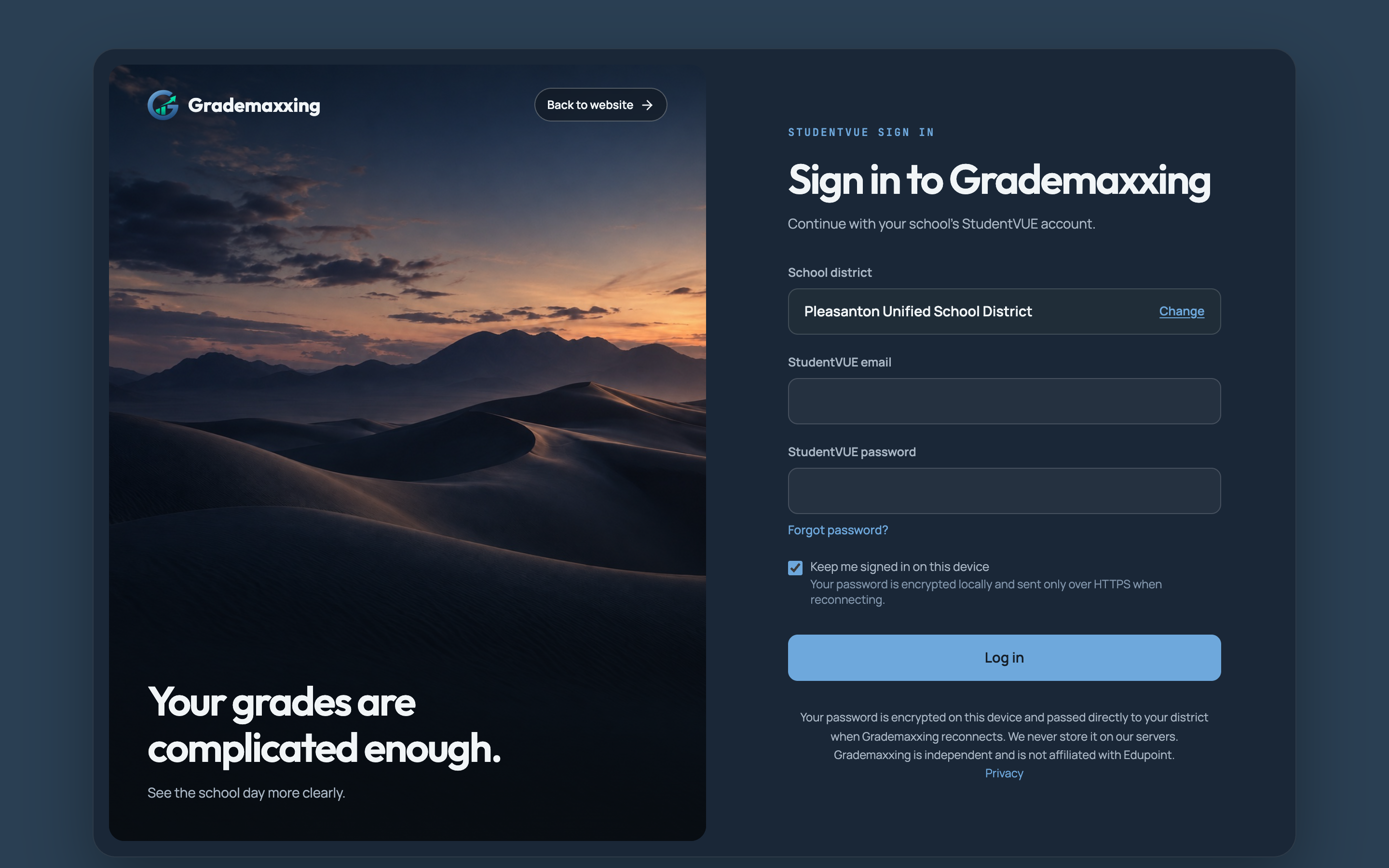
Connect StudentVUE — synthetic app preview

02

See the real math

Follow dated assignments and watch each new score move the chart — no more guessing what changed your grade.
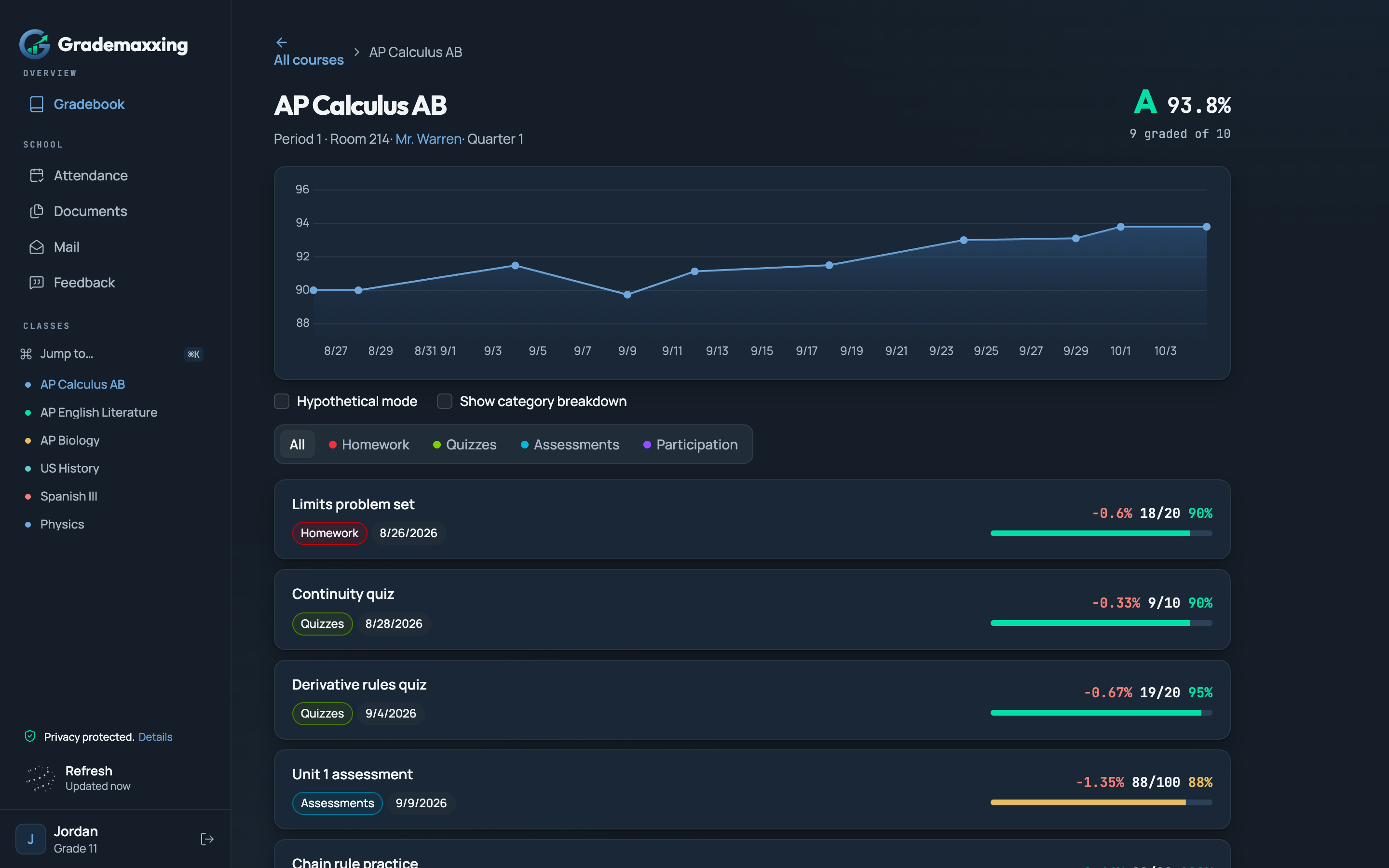
See the real math — synthetic app preview

03

Try the what-if scores

Add hypothetical work, change category scores, and explore what you need next. Estimates stay separate from official grades.
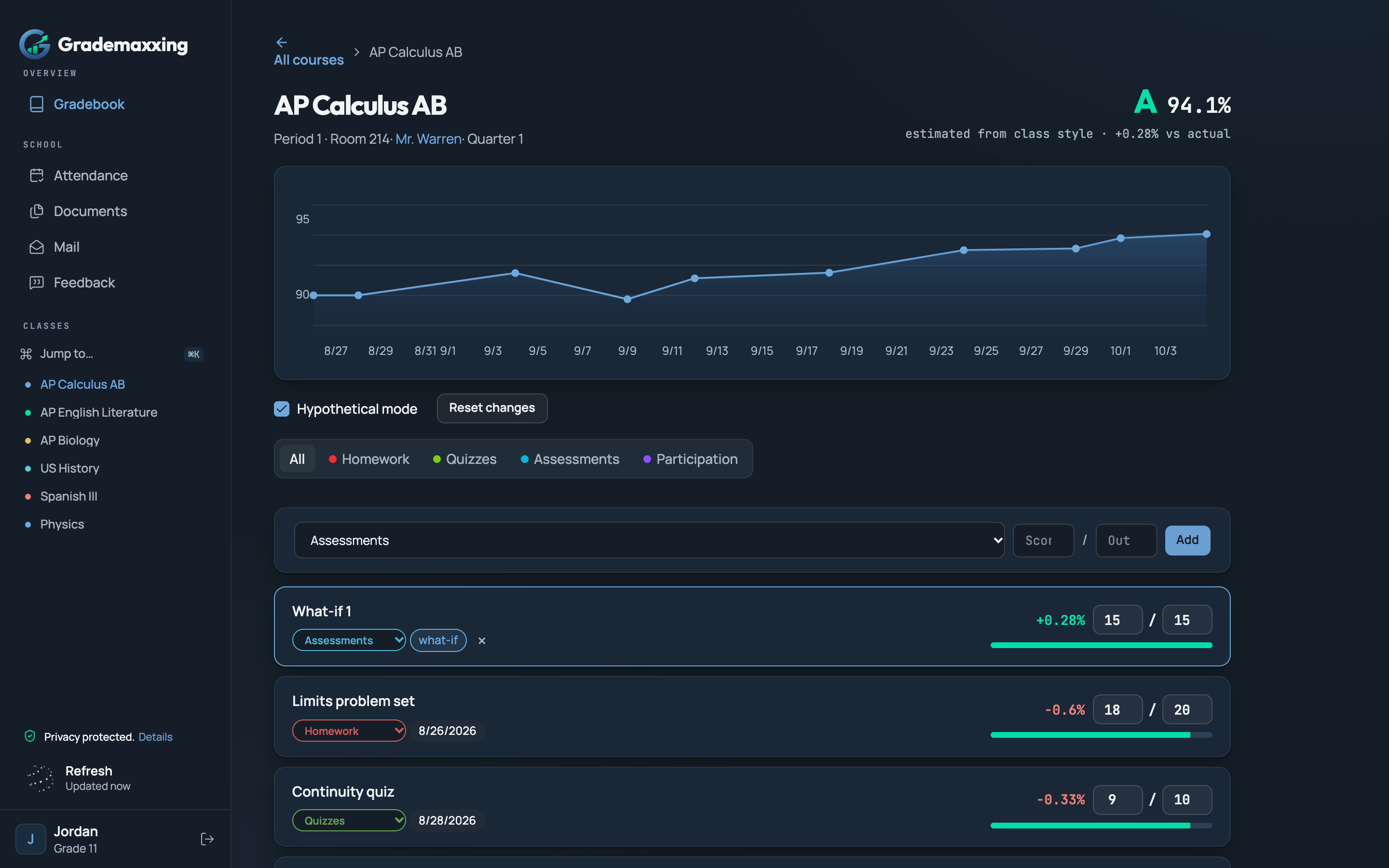
Try the what-if scores — synthetic app preview

WHY GRADEMAXXING

No pep talk. Just the school data you actually need.

Grade trends

See your grade changes across assignments, and try out what-if scores on the chart.

Sample course view with a rising grade trend chart

What-if calculator

Test a final, missing assignment, or target grade before it happens. This is a simulation, not a prophecy.

Sample hypothetical mode with a what-if assignment added

Attendance detail

Review absences, tardies, activities, dates, and class periods. The useful details are all here.
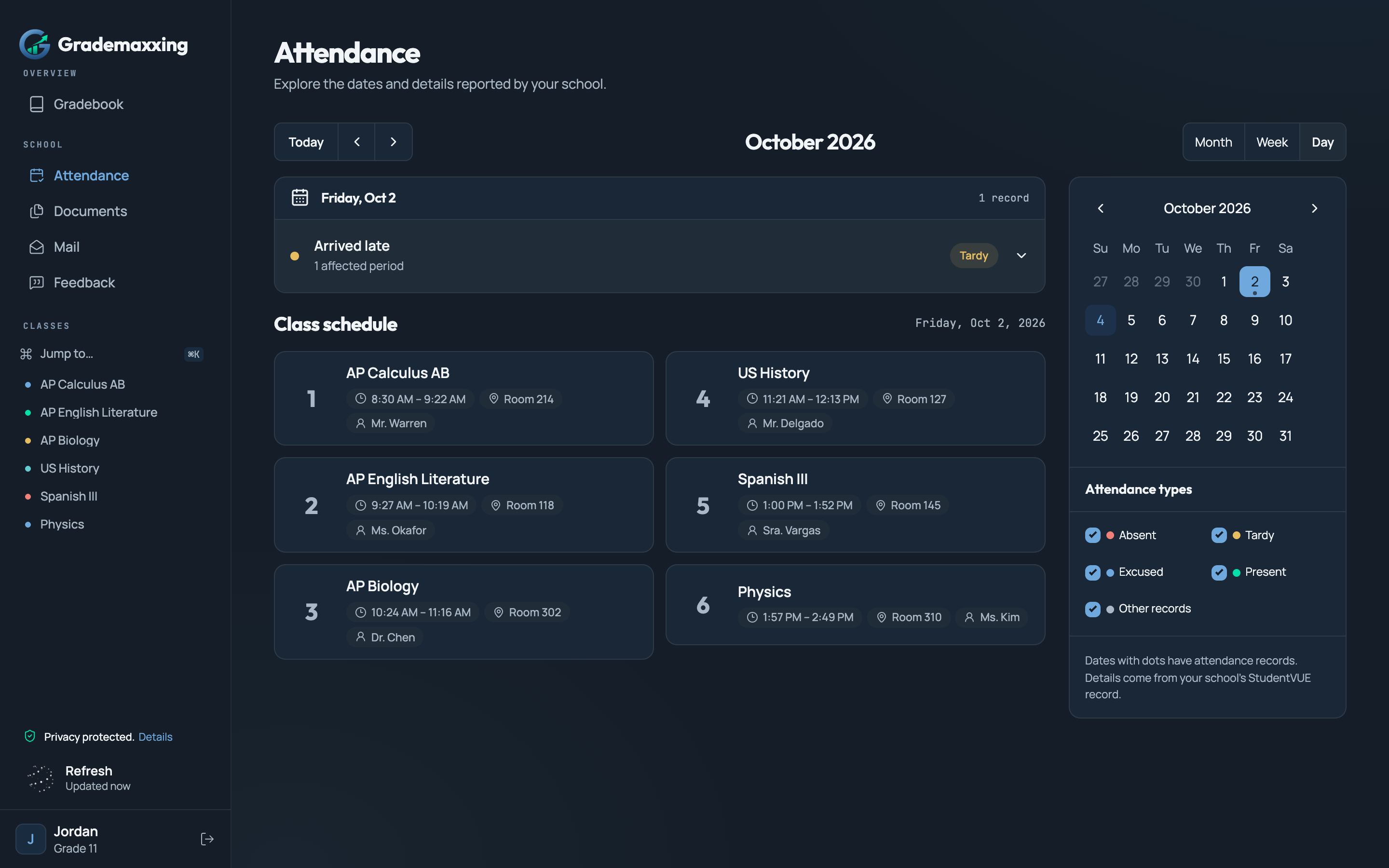
Sample attendance calendar and records

Records in one place

Keep StudentVUE documents, report cards, and mail within reach. One less portal maze.
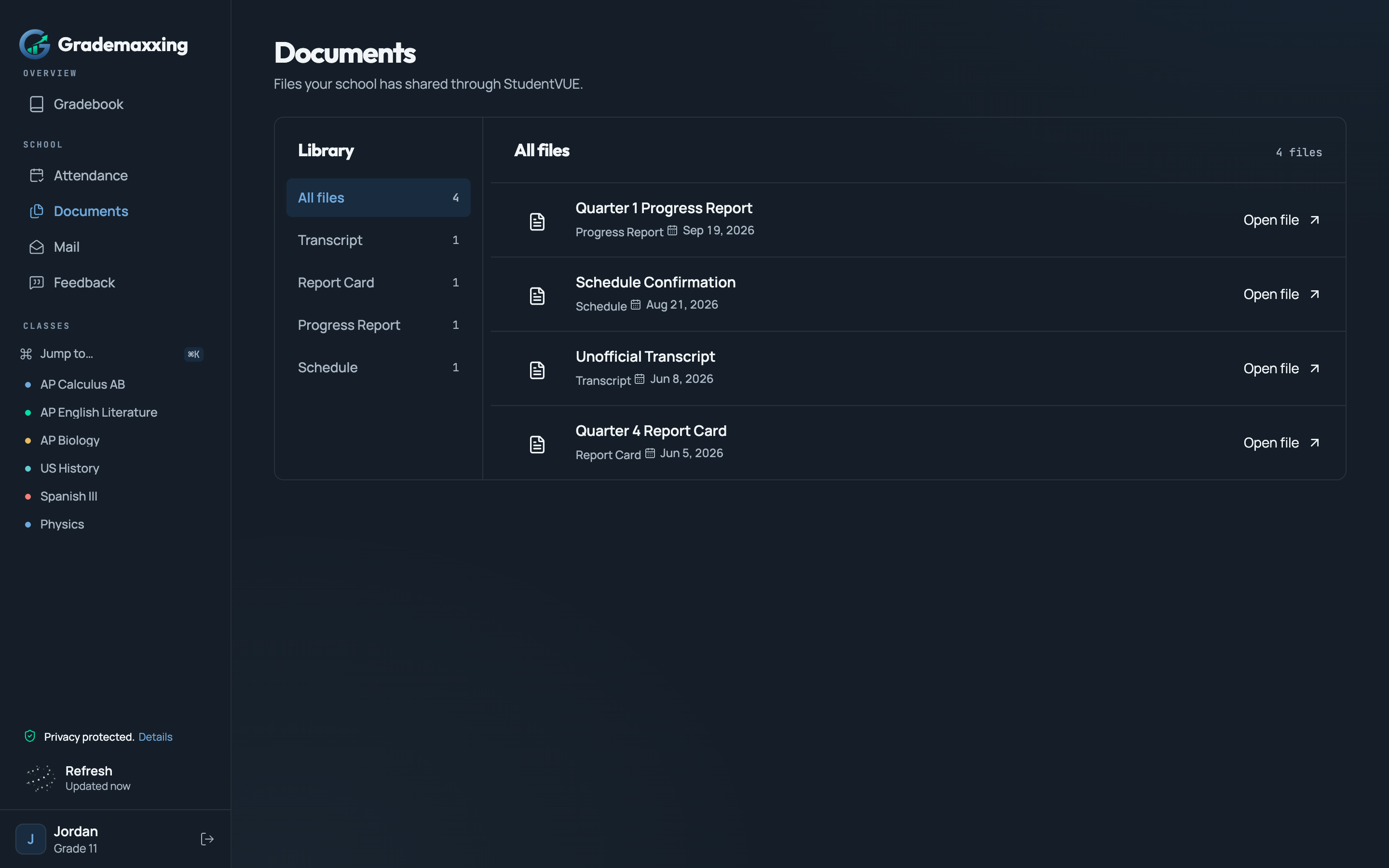
Sample document library with report cards and transcripts

Built for every kind of student

However you do school, Grademaxxing turns the portal maze into data you can actually use.

Grade trackers

Watch every assignment move the line, and understand what changed your grade.

College applicants

Explore your projected GPA and grade trends without confusing estimates with official records.

Test takers

Run the what-if numbers before the exam and walk in knowing your target.

Attendance watchers

See absences, tardies, and class periods by name — before they become a surprise.

Record keepers

Report cards, documents, and school mail in one place instead of five tabs.

Message readers

Read school messages and attachments alongside the rest of your school record.

FAQ

Questions, answered

What is Grademaxxing?
A calmer, read-only layer on top of StudentVUE. Grade trends, category math, what-if scores, attendance, documents, and mail — in one place, without the maze.
Does it work with my school?
Grademaxxing connects to StudentVUE portals using your existing account. Availability depends on your district’s portal and the records it exposes; not every district configuration has been verified.
Is my password safe?
Your credentials travel over encrypted HTTPS to establish your StudentVUE session, then the server discards the password. If you choose to stay signed in, saved credentials are encrypted locally on this device. Read the privacy details for more information.Read the privacy details
Do you change or store my grades?
Grademaxxing cannot change school records, submit assignments, or send mail. Grade data may be cached on your device. What-if scores are local simulations and never replace official grades.
Is Grademaxxing free?
Grademaxxing is free to use, including grade trends, what-if scores, attendance, documents, and mail when your portal provides them.
What’s a what-if score?
A hypothetical. Add an assignment you haven’t done yet — or a final you’re dreading — and estimate how it would move your grade before it happens.
Does it work on my phone?
Yes — Grademaxxing is a website, so you can use it in a modern browser on your phone, tablet, or laptop. Nothing to install.
Can parents use it too?
Grademaxxing is designed for StudentVUE accounts. ParentVUE accounts and multi-student switching are not currently supported.

Your grades are already enough of a puzzle.

Connect StudentVUE. We’ll do the sorting.

Open Grademaxxing